Are Temporary Email Services Safe?
Are Temporary Email Services Safe? Here's What I Learned After Using Them for Two Years
Last year I almost lost access to a course I'd paid for because I signed up with a throwaway email address. The site sent a "verify your account" link, my temp inbox expired before I clicked it, and I spent three days emailing support trying to prove I was a real customer.
That mess taught me more about temporary email services than any guide ever could. So let's talk honestly about whether these things are actually safe to use, because the answer isn't a simple yes or no.
Why I Started Using Temp Mail in the First Place
It started small. I wanted to download a free PDF guide from some random website, and they wanted my email before letting me access it. I just knew what was coming — daily newsletters, "exclusive offers," the works.
So I typed in a temporary email instead. Got my PDF. Never heard from that site again. Felt like a small win.
After that, I started using temp mail for almost everything sketchy — random app sign-ups, one-time downloads, forum registrations I'd probably never visit again, free trials I knew I'd forget to cancel.
So, Are They Actually Safe?
Here's the honest answer: temporary email services are safe for what they're designed for, but risky if you use them the wrong way.
I learned this through trial and error, mostly error.
What They're Genuinely Good At
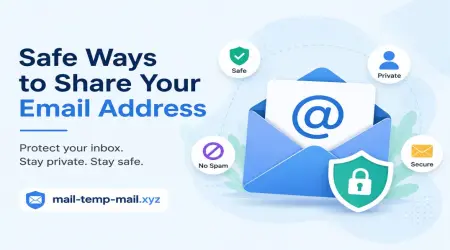
Protecting your real inbox from spam. This is the big one. My main email used to get 40-50 promotional emails a week before I started using disposable addresses for sign-ups. Now it's maybe 5-10.
Avoiding data leaks tied to your real identity. If some shady website gets hacked and your email-password combo leaks (it happens more than people realize), a temp email means your real identity isn't connected to that breach.
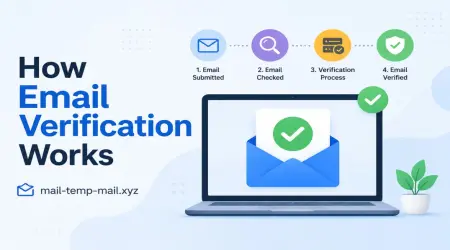
Quick verification without commitment. Need to verify an account just once to download something? A temp email does the job and disappears.
I personally use a temp mail service through mail-temp-mail.xyz whenever I'm testing something new or signing up for a site I don't fully trust yet. It's become part of my routine, honestly — like washing your hands before eating.
Where Things Can Go Wrong
Now here's where I made my mistakes, and where you need to be careful too.
Mistake #1: Using temp mail for important accounts
I once used a disposable email to register for a freelance gig platform, thinking I'd "upgrade" the email later. The platform sent payment confirmation to that inbox. By the time I checked it, the email had expired and the data was gone. I had no proof of payment for a dispute that came up weeks later.
Lesson learned: never use temp email for anything involving money, contracts, or long-term accounts. Banking, freelance platforms, online stores you actually shop from regularly — keep your real email for those.
Mistake #2: Forgetting that "temporary" means temporary
This sounds obvious, but I forgot it constantly in the beginning. Some temp mail services keep your inbox alive for 10 minutes. Others give you a few hours. A few let you keep the same address for days if you bookmark it.
I once signed up for a newsletter I actually wanted to read later, using a temp address that died within an hour. Lost the welcome email with my discount code. My fault entirely.
Mistake #3: Assuming all temp mail providers are equally trustworthy
This one matters more than people think. Not every temporary email service handles your data the same way. Some log your IP address. Some show ads that aren't exactly family-friendly. A few sketchy ones have been caught reselling data from inboxes they claimed were "private."
So yes, ironically, using a privacy tool incorrectly can hurt your privacy.
How I Actually Use Temp Email Now (Step-by-Step)
After messing this up a few times, I developed a system. Here's what works for me:
Step 1: Decide if it's a "throwaway" situation
Ask yourself — will I ever need to recover this account, get a refund, or receive important info on this email again? If yes, use your real email. If no, temp mail is fine.
Step 2: Pick a reputable temp mail service
Look for ones that don't ask for unnecessary permissions, don't require you to download anything sketchy, and clearly state how long the email stays active. I personally stick with mail-temp-mail.xyz because it's straightforward — no weird redirects, no shady ads, just a clean inbox that works.
Step 3: Copy the email address before you need it
Sounds simple, but I've fumbled this before — switching tabs, losing the temp address, having to generate a new one and start the signup over.
Step 4: Complete the signup or verification immediately
Don't generate a temp email and then go make coffee. These addresses expire faster than you'd expect. Get your verification link clicked or your download grabbed right away.
Step 5: Don't reuse the same temp inbox for sensitive logins
If you're testing five different apps, don't dump all five into one inbox if any of them involve personal info. Spread it out, or better yet, only use temp mail for the genuinely low-stakes stuff.
Real Examples From My Own Use
Testing a budgeting app I saw on Reddit — used temp mail, no regrets, the app turned out to be mediocre anyway and I never wanted updates from it.
Downloading a free Canva template pack from a random blog — temp mail, worked perfectly, avoided the inevitable email funnel that follows these freebies.
Signing up for a forum to ask one specific question about a software bug — temp mail was perfect here since I never planned on returning.
Versus:
Online clothing store I actually shop from — real email, every time. I need order confirmations, return labels, and discount codes that I might use again.
Freelance work platforms — real email, no exceptions, learned this the hard way already.
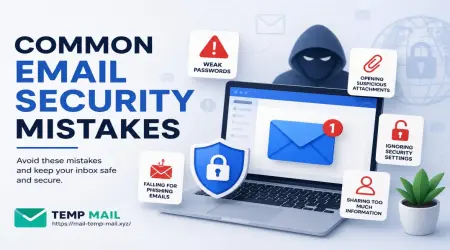
Common Mistakes People Make (Beyond My Own)
A few patterns I've noticed talking to other people who use temp mail:
Using it for job applications. Recruiters need a reliable way to reach you. A temp inbox that vanishes in an hour is a guaranteed way to miss an interview invite.
Trusting every temp mail website blindly. Some are genuinely built for privacy. Others exist just to harvest emails and sell them. Stick with services that have decent reviews and don't ask for excessive personal info.
Forgetting which temp address they used. If you've got five tabs open generating different temp emails for different sign-ups, you'll lose track. Keep a quick note if you need to remember anything, even briefly.
Using temp mail on accounts with two-factor authentication. If the 2FA code goes to that inbox and it expires, you're locked out. Simple as that.
Is It Worth Using Long-Term?
Honestly, yes — but as a tool, not a replacement for your real email. Think of it like a guest pass. It gets you into the building for a quick visit, but you wouldn't want to live there.
I still use my real email for anything that matters: banking, work, subscriptions I care about, social accounts. Temp mail handles the disposable stuff — downloads, one-off sign-ups, testing services I'm not sure about yet.
This split has cut my spam dramatically and kept my real inbox clean enough that I actually see important emails instead of digging through promotional clutter.
Final Thoughts
Temporary email isn't some magic privacy shield, and it's not a security risk either, as long as you understand what it's actually for. It's a tool. Use it for the right job, and it works great. Use it for the wrong job, like I did with that freelance platform, and you'll learn the hard way like I did.
If you're new to this, start small. Try it out for a free download or a random sign-up you don't care much about. See how it feels. Once you get comfortable with the rhythm — generate, verify, done — you'll wonder why you ever handed your real email to every random website that asked for it.
And if you want a clean, no-nonsense way to try it out, that's exactly what I built my routine around at mail-temp-mail.xyz. No clutter, no weird permissions, just a quick inbox when you need one.