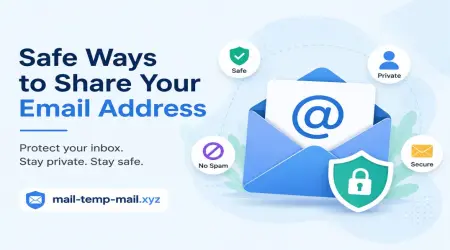
Safe Ways to Share Your Email Address (Without Regretting It Later)
A few months back, I signed up for a "free" PDF converter tool because I needed to shrink a file size at 11 PM before a deadline. I typed in my main email address without thinking twice. Two days later, my inbox had over 40 promotional emails from companies I had never heard of. My personal inbox — the one with my bank alerts, work emails, and family photos backups — turned into a mess overnight.
That's when it hit me. I had been giving out my real email address everywhere — online forms, random app sign-ups, contests, free trials — without ever thinking about where it might end up.
If you've ever felt that same regret scrolling through your inbox, you're not alone. Almost everyone who's been online for a few years has a story like this. The good news is, sharing your email safely isn't complicated once you understand a few simple habits.
I want to walk you through what actually works, based on things I've tested myself — not just theory.
Why Your Email Address Is More Valuable Than You Think
Your email isn't just a way to receive messages. It's basically the master key to your digital identity.
Think about it — your email is connected to your bank, your social media, your shopping accounts, even your phone's app store. If someone gets access to it, they can reset passwords for almost everything else you own online.
So when a random website asks for your email just to "unlock a discount code," it's worth pausing for a second before typing it in.
The Mistake I Used to Make Constantly
For years, I used the same one or two email addresses for literally everything. Signing up for a newsletter? Same email. Downloading a free ebook? Same email. Creating an account on a forum I'd visit once? Still the same email.
The result was predictable. My inbox became impossible to manage, important emails got buried, and I started getting messages from sources I didn't even remember signing up for.
The turning point for me was realizing that not every website deserves my real email address.
Step-by-Step: How I Now Share My Email Safely
Here's the actual system I follow now, based on trial and error.
Step 1: Ask Yourself "Do I Need to Hear From This Site Again?"
Before typing in your email, pause for two seconds. If it's a one-time download, a quick sign-up, or something you're just trying out, you probably don't need to give your permanent email.
Step 2: Use a Temporary or Disposable Email for One-Time Sign-Ups
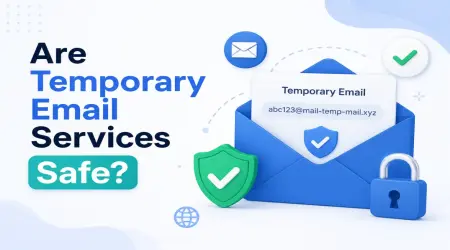
This is honestly the habit that changed everything for me. Instead of using my real email for random sign-ups, I now use a temporary email service for anything I don't plan on using long-term.
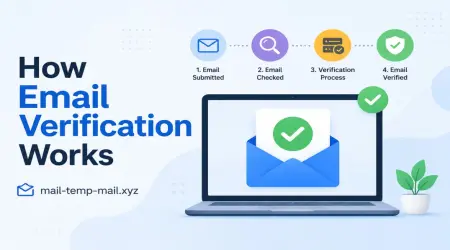
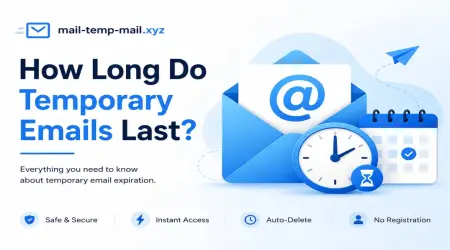
I personally use mail-temp-mail.xyz whenever I need to access something quickly — like downloading a file, testing a free trial, or verifying a one-time sign-up — without exposing my actual email address. It gives me a working inbox instantly, no registration needed, and I can just close it once I'm done. My main inbox stays clean, and I'm not stuck dealing with follow-up emails from a site I'll never visit again.
Step 3: Keep a Separate Email for Shopping and Subscriptions
For things I do want to keep — like online shopping accounts, food delivery apps, or subscriptions I actually use — I keep a secondary email address. This way, promotional emails and order confirmations don't mix with my personal or work inbox.
Step 4: Reserve Your Main Email for Important Stuff Only
My primary email is now reserved strictly for banking, work, family, and accounts I genuinely care about. I don't use it for sign-ups I'm unsure about. This single change reduced unwanted emails by more than half within a few weeks.
Step 5: Check Before You Click "Sign Up"
A quick habit I picked up — before signing up anywhere, I glance at the website. Does it have a clear privacy policy? Does it look professionally built, or thrown together overnight? If something feels off, that's usually a sign to use a temporary email instead of a personal one.
Real-Life Example: The Free Trial Trap
A friend of mine wanted to try a photo editing app that required an email to start a "free trial." She used her personal email, forgot to cancel after the trial ended, and kept getting billing reminder emails for months — along with promotional content she never asked for.
If she had used a disposable email just to test the app first, she could've explored it risk-free and decided later whether it was worth sharing her real email for a long-term account.
This is a perfect example of why temporary emails aren't just about avoiding clutter — they also give you breathing room to test things before committing.
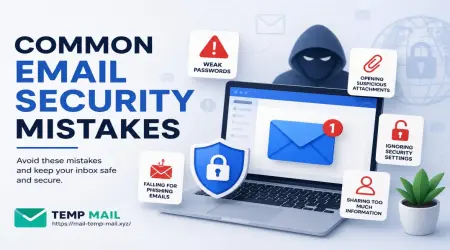
Common Mistakes People Make When Sharing Their Email
1. Using the same email everywhere This makes it easy for your inbox to become linked across multiple platforms, increasing the chances of unwanted messages piling up.
2. Not checking app permissions Some apps ask for email access during sign-up but also request access to your contacts or calendar. Always glance at what permissions you're approving.
3. Sharing email on public forums or comment sections I've seen people post their email publicly while asking for help online. Bots and automated tools scan the web constantly, so this is something to avoid completely.
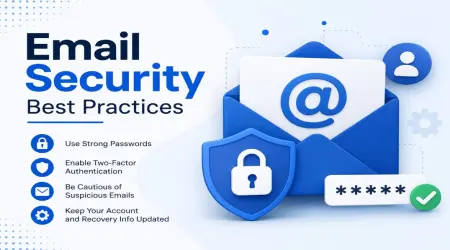
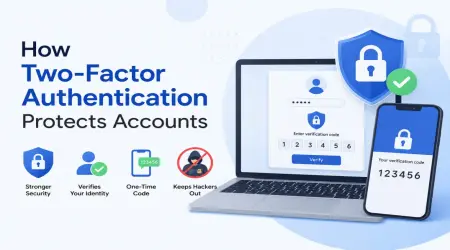
4. Ignoring two-factor authentication This isn't directly about sharing your email, but it matters. If your email account doesn't have two-factor authentication enabled, anyone who figures out your password can access everything else linked to it.
5. Not unsubscribing properly Sometimes people just delete promotional emails instead of unsubscribing, which means new ones keep arriving every week. A quick unsubscribe click saves a lot of long-term hassle.
My Personal Routine Now
Here's how I personally organize my email use today:
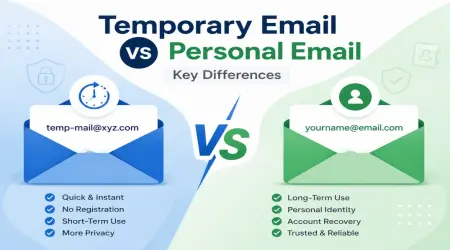
- Primary email — banking, work, family, and trusted long-term accounts only
- Secondary email — shopping, subscriptions, and apps I actually use regularly
- Temporary email — one-time downloads, quick sign-ups, free trials, or anything I'm unsure about
This simple three-layer system took me less than 20 minutes to set up, but it saved me hours of inbox cleanup every month.
Why Temporary Emails Are a Smart Habit (Not Just a Trick)
Some people think using a temporary email is only useful for sketchy websites, but that's not true. I use it for legitimate situations all the time — downloading an ebook, testing software, signing up for a webinar I'm only mildly interested in, or accessing content that requires verification but doesn't need ongoing communication.
It's not about hiding from anyone. It's about controlling where your personal information ends up.
A Few Extra Tips That Helped Me Long-Term
- Use email aliases if your provider supports them. Gmail, for example, lets you add "+something" after your username to create unique variations of your email for tracking purposes.
- Regularly review your inbox subscriptions. Once a month, I go through and unsubscribe from anything I no longer need.
- Avoid using your email as your public username on forums or social platforms when possible.
- Don't reuse passwords tied to your email account. Even with safe sharing habits, a weak password can undo all that effort.
Final Thoughts
Sharing your email safely isn't about being paranoid — it's about being intentional. Every time you type your email into a form, you're making a small decision about where your personal information goes next.
Once I started using a temporary email for casual sign-ups and reserved my real email for things that actually matter, my inbox finally felt manageable again. No more random promotional emails flooding in every morning, no more forgotten subscriptions, no more digging through clutter to find one important message.
If you're tired of dealing with the same mess I used to deal with, try separating your email use the way I did. Start small — next time you're about to sign up for something you're not sure about, use a temporary email first. It's a tiny habit, but it makes a noticeable difference over time.