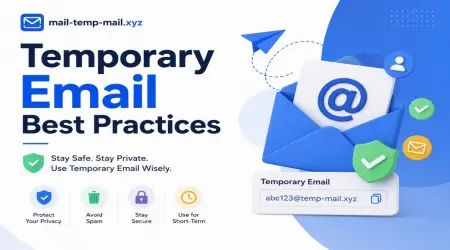
Temporary Email Best Practices
Three years ago, I signed up for a "free" PDF converter tool using my personal Gmail. Within a week, my inbox turned into a war zone — daily promo emails, sketchy newsletters, and two phishing attempts disguised as "account verification" messages.
That's the day I started using temporary email addresses for literally everything I didn't trust.
Now I run a handful of throwaway inboxes a week — testing apps, downloading freebies, signing up for trial accounts — without ever touching my real email. But it took some trial and error (and a few facepalm moments) to figure out how to actually use temp mail the smart way.
If you're new to this or just want to avoid the mistakes I made, here's everything I wish someone had told me earlier.
Why I Even Started Using Temporary Email
Let's be honest — half the websites asking for your email don't need it. They just want to:
- Sell your data to marketers
- bad mail you with "limited time offers" forever
- Build an email list to flip later
I realized this after checking one inbox and finding 40+ unread promotional emails from a site I used ONE time, two years prior. That's when temp email became part of my routine.
What Temporary Email Actually Does (In Plain Terms)
A temporary email — like the ones you can generate on mail-temp-mail.xyz — gives you a disposable inbox that works for a short period. You use it to sign up, receive a verification code or confirmation link, and then it disappears.
No tracking back to your real identity. No long-term bad mail. No mess.
I use it mainly for:
- Free trials that require email but I know I'll cancel
- Downloading eBooks, templates, or whitepapers
- Testing apps before committing my real email
- Forum sign-ups I won't revisit
- Avoiding bad mail from shady e-commerce sites
My Honest Best Practices (Learned the Hard Way)
1. Never Use Temp Email for Anything Important
This sounds obvious, but I made this mistake early on. I used a temp email to sign up for a service that later required password resets — and the inbox had already expired.
Lesson: Temp email is great for throwaway sign-ups, NOT for accounts you'll actually use long-term (banking, work tools, anything tied to your identity).
2. Always Check If You Need the Verification Email Immediately
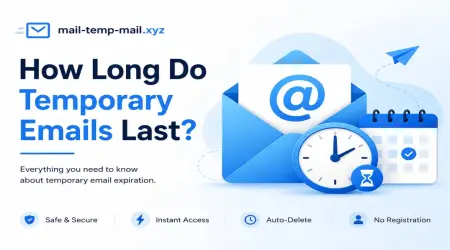
Some temp mail services delete messages fast — within 10–60 minutes. If a site sends a verification link an hour later, you might miss it.
What I do now:
- Open the temp inbox in one browser tab
- Open the sign-up page in another
- Submit the form, then refresh the temp inbox immediately
This avoids the "oops, my email's gone" problem.
3. Don't Use Temp Mail for Sites You Might Need to Recover Later
I once signed up for a freelance marketplace using a disposable address just to "test it out." Two months later, I actually wanted to use that account — but the email was long gone, and recovery was impossible.
Rule of thumb: If there's even a small chance you'll need account recovery later, use a real (or secondary) email instead.
4. Use a Secondary "Permanent Disposable" Email for Medium-Term Stuff
For things I might revisit — like online courses or newsletters I'm unsure about — I don't use a fully temporary email. Instead, I keep a separate Gmail or Outlook account just for low-priority sign-ups.
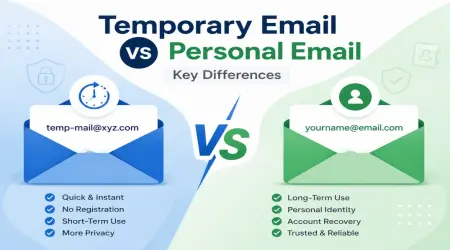
Temporary email is for short-term, one-time needs. A secondary inbox is for medium-term stuff.
5. Avoid Sensitive Logins Through Temp Email
Never use a disposable inbox for:
- Banking
- Government services
- Anything requiring identity verification
- Subscriptions with stored payment details
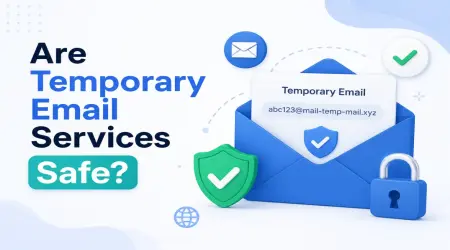
This isn't about temp email being "unsafe" — it's about the fact that the inbox disappears, and you lose access permanently.
Step-by-Step: How I Use Temporary Email the Right Way
Here's my actual routine when I need a quick throwaway email:
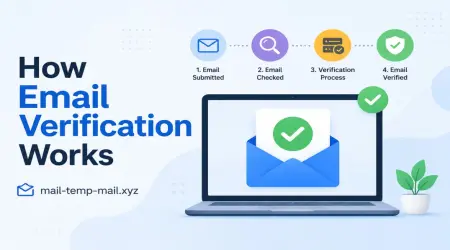
Step 1: Go to mail-temp-mail.xyz and generate a new address.
Step 2: Copy the email and use it on the sign-up form.
Step 3: Keep the temp mail tab open and refresh it after submitting.
Step 4: Grab the verification code or click the confirmation link immediately.
Step 5: Once verified, I’m done — I don’t reuse that same temp address for anything else.
Step 6: If I think I might need this account later, I switch to my secondary backup email instead of temp mail.
This 6-step habit alone saved me from at least a dozen bad mail floods over the past year.
Real-Life Examples Where Temp Email Saved Me
Example 1: Testing a Diet App I wanted to try a meal-planning app just to see its features. Temp email let me sign up, explore the app for 15 minutes, and walk away — no bad mail, no "we miss you" emails forever.
Example 2: Downloading a Resume Template A site wanted my email just to download a free resume template. Classic lead-gen trick. Temp mail got me the file without adding me to their funnel.
Example 3: Avoiding Newsletter Overload I review tech gadgets sometimes, and a lot of manufacturer sites force an email sign-up before showing specs. Temp mail saves me from getting added to 10 different newsletters I'll never read.
Mistakes People Commonly Make (I've Done Some of These Too)
Mistake #1: Using the Same Temp Email Repeatedly
Some sites flag repeated use of known temp-mail domains. If you reuse the same throwaway address everywhere, certain platforms may block sign-up attempts.
Fix: Generate a fresh address for each new sign-up.
Mistake #2: Forgetting the Inbox Has a Timer
This burned me once — I generated a temp email, got distracted, came back 20 minutes later, and the verification email was gone.
Fix: Don't multitask during sign-up. Submit the form, then immediately check the inbox.
Mistake #3: Using Temp Mail for Job Applications
A friend of mine did this — used a disposable email to apply for a job "just to test it." The recruiter replied two days later... to an inbox that no longer existed. Lost opportunity.
Fix: Never use temp mail for anything tied to communication you actually care about.
Mistake #4: Assuming Temp Email Is 100% Anonymous
Temp email hides your real email — but it doesn't make you invisible online. Your IP address, browser fingerprint, and other data can still be tracked depending on the website.
Fix: If full anonymity matters, combine temp email with a VPN or privacy-focused browser.
When You Should NOT Use Temporary Email
To be fair, temp email isn't right for everything. Skip it when:
- You're creating an account you'll log into regularly
- The platform requires identity verification
- You need long-term customer support access
- It's anything financial or government-related
- You expect important follow-up communication
Using temp mail in these situations just creates more problems than it solves.
Why I Still Use mail-temp-mail.xyz Regularly
Honestly, the biggest benefit isn't even privacy — it's mental clarity. My main inbox stays clean. I don't get notification anxiety from 50 unread promotional emails. I only see messages that actually matter to me.
If you're someone who downloads a lot of freebies, tests random tools, or just wants to avoid bad pile-ups, building a habit around temporary email is genuinely one of the simplest things you can do for your digital sanity.
It's not about hiding — it's about controlling what gets access to your real inbox.
Final Thoughts
Temporary email isn't some hacker trick or shady workaround — it's just smart inbox management. Once you build the habit of asking "do I really need to give this site my real email?", you'll naturally start using temp mail more often.
Start small. Use it for your next random sign-up — a free tool, an app trial, a one-time download — and see how much cleaner your real inbox stays.
Once you experience an inbox without bad clutter, it's hard to go back to giving out your real email to every random website that asks for it.