Why Email Privacy Matters in 2026 (A Lesson I Learned the Hard Way)
Three months ago, I signed up for a "free" PDF converter tool because I needed to merge some files for a client project at 11 PM. I typed in my main email — the one I've used since 2014, linked to my bank, my Amazon account, basically my entire digital life — clicked "agree" without reading anything, and downloaded my file.
Two weeks later, my inbox turned into a warzone. Crypto scam emails. Fake "your package couldn't be delivered" links. A suspicious "Netflix payment failed" email that almost got me at 7 AM before coffee.
That's when it hit me — I never should've used my real email for a random tool I'd never use again.
That one mistake is basically why I'm writing this article.
Why This Topic Actually Matters Right Now
People assume email privacy was "a 2015 problem" that got solved with spam filters. It didn't.
If anything, 2026 is worse. Data breaches are bigger, AI-powered scam emails are more convincing, and almost every app, game, or tool now asks for your email before you even see what it does.
I started paying closer attention after that PDF tool incident, and once you notice it, you can't unsee it:
- Free trials asking for email + card just to "test" a feature
- Random websites needing email verification to read one article
- Giveaway pages collecting emails that mysteriously end up sold to marketing lists
- Browser extensions requiring sign-up just to function
Your email isn't just an inbox anymore. It's basically your digital ID. It's connected to your social accounts, banking alerts, work logins, even smart home apps. If someone gets into it, they don't just see messages — they can potentially reset passwords everywhere else too.
That's the real risk most people don't think about until something goes wrong.
The Moment I Realized I Needed a Backup System
After the spam flood, I didn't want to switch my main email (too much tied to it), but I also didn't want to keep exposing it to random websites.
So I started using a temporary/disposable email for anything that wasn't important long-term — exactly the kind of service my website, mail-temp-mail.xyz, is built around.
The idea is simple:
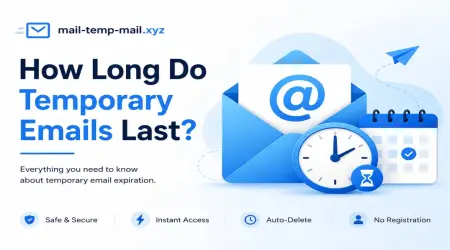
You get a random, temporary inbox. You use it to sign up for stuff. You get the confirmation email or file. Then it expires — no spam, no tracking, no long-term risk.
The first time I used a temp mail address for a "free trial" software, I felt this weird sense of relief. Like — oh, this is exactly what I needed three months ago before the PDF tool disaster.
Real-Life Scenarios Where Email Privacy Actually Saves You
Let me give you a few situations I personally ran into (and ones friends have told me about):
1. Downloading a "free" template or eBook
You don't need that source emailing you forever. A temporary email solves this instantly.
2. Testing software demos
Half the time, these companies blast you with sales emails non-stop. Annoying, not dangerous — but still unwanted.
3. Online forums or one-time sign-ups
I needed to comment on a tech forum once just to ask a question. Never visited again. No reason for them to have my real email.
4. Avoiding spam-related security risks
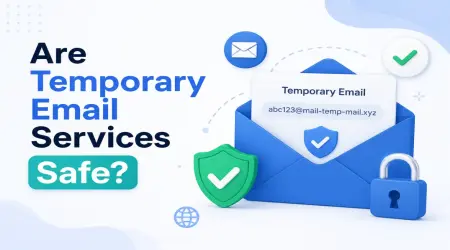
This is the big one. The more places your real email exists, the higher your risk if any one of those platforms gets hacked. And let's be honest — in 2026, breaches happen constantly. Even big-name platforms.
Step-by-Step: How I Now Protect My Email (And You Can Too)
I'm not a "cybersecurity expert" — just a regular guy who got tired of cleaning spam every morning. Here's exactly what I do now:
Step 1: Separate "Important" vs "Disposable" needs
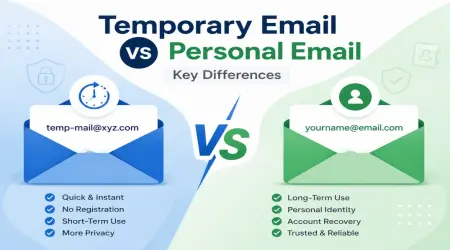
Ask yourself: Will I need this email account long-term? If "no" → use a temp mail address. If "yes" → use your real one, but enable extra protection (next steps).
Step 2: Use a temporary email for sign-ups you don't trust yet
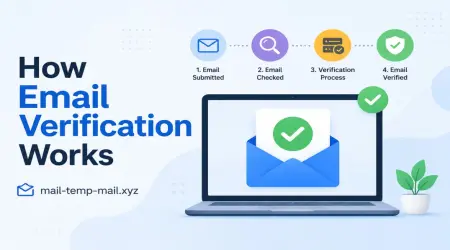
This is where a site like mail-temp-mail.xyz comes in handy — quick inbox, no sign-up required, perfect for one-time verifications.
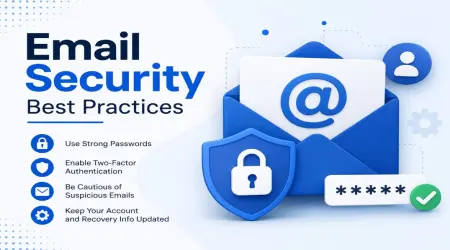
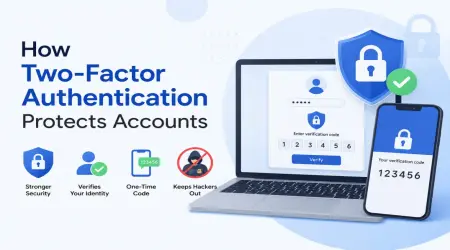
Step 3: Turn on 2-Step Verification on your main email
Whether it's Gmail, Outlook, or Yahoo — enable 2FA. This single step blocks most unauthorized access attempts.
Step 4: Check "Have I Been Pwned" occasionally
It's a free tool that tells you if your email has appeared in known data breaches. I check mine every couple of months now.
Step 5: Avoid clicking links inside random emails
Even if it looks official. I always go directly to the website instead of clicking embedded links.
Step 6: Clean up old subscriptions
I went through my inbox and unsubscribed from over 40 random newsletters I didn't even remember signing up for. It honestly felt amazing.
Mistakes I Made (So You Don't Have To)
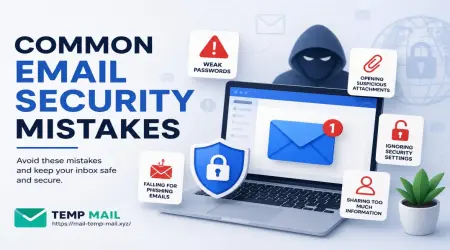
- Mistake #1: Using my main email for every random tool "just this once." (It’s never just once.)
- Mistake #2: Reusing the same password across multiple sites linked to that email. Huge risk.
- Mistake #3: Ignoring small phishing attempts because they "looked harmless." Some scams are designed to look boring on purpose.
- Mistake #4: Never checking app permissions connected to my email account. I found three apps I didn't even remember authorizing.
If you only fix one of these, fix the password reuse issue. That alone reduces your risk dramatically.
Why Temporary Emails Are a Smart Privacy Habit (Not Just a "Geek Thing")
A lot of people think temp mail is only useful for techy users or "shady" online activity. That's not true at all.
Think about normal daily browsing:
- Signing up for a giveaway
- Downloading a coupon code
- Testing an app before committing
- Avoiding spam newsletters
- Verifying access to gated content
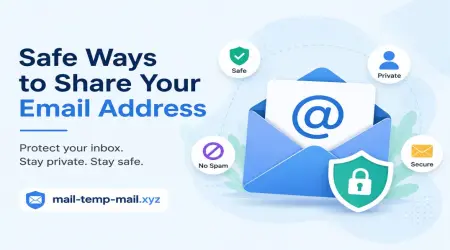
In all these cases, you don't need your real identity attached. A disposable inbox lets you stay anonymous, avoid spam, and keep your real email clean — exactly the kind of simple, fast solution mail-temp-mail.xyz focuses on.
A Quick Example From My Own Browsing Habits
Last week, I needed to download a royalty-free image pack from a site I'd never used before. Normally, I would've used my real email without thinking twice.
Instead, I used a temp email, grabbed the download link, and moved on.
Result? Zero spam. Zero unwanted "exclusive offers." Zero risk to my real inbox.
It took maybe 10 extra seconds — but saved me from another spam wave like the PDF incident.
Final Thoughts (Not a Wrap-Up, Just Honest Advice)
Email privacy isn't about being paranoid. It's about being smart with where you put your information.
The internet in 2026 is more connected than ever — and your email is often the entry point hackers, marketers, and spammers use to get into your digital world.
You don't need fancy tools or technical knowledge to protect yourself. Just a few small habits:
- Use temporary emails for random sign-ups
- Keep your main email reserved for important stuff
- Enable 2FA
- Avoid clicking shady links
- Clean up old subscriptions occasionally
That one bad night with the PDF converter taught me more about online privacy than any article ever did. Hopefully this saves you from learning the same lesson the hard way.
If you ever need a fast, no-hassle disposable inbox for those random sign-ups, that's literally why I use mail-temp-mail.xyz — simple, quick, and keeps my real email exactly where it should be: private.