Email Privacy Tips for Everyday Internet Users (Things I Learned the Hard Way)
A few years back, I signed up for a "free" online quiz to find out which cartoon character I was. Two days later, my main inbox was flooded with newsletters I never asked for, three different shopping sites somehow had my email, and one company kept emailing me about a "limited time" deal every single morning.
That was the moment I realized I had zero control over where my email address was going. I wasn't hacked. I wasn't careless with my password. I just handed my real email to a random website without thinking twice.
If you've ever felt like your inbox is a magnet for stuff you never signed up for, you're not alone. Email privacy isn't really about fancy security software — it's about small habits most of us never learned. I had to figure mine out through trial and error, so let me save you the time.
Why Your Email Address Is More Valuable Than You Think
Your email is basically your digital identity card. It's connected to your bank alerts, your social media, your online shopping, your work logins — everything.
Once it's out there attached to a data leak or sold between marketing lists, you can't really pull it back. You can change a password in two minutes. You can't "un-leak" an email address that's already floating around.
That's the part that took me a while to understand. I used to think privacy was only about not getting hacked. Turns out, it's just as much about not over-sharing your email in the first place.
The Mistake I Kept Making (And You Probably Do Too)
For years, I used the same personal email — the one linked to my bank and family contacts — for literally everything. App downloads, online forms, contests, free trials, forum sign-ups, you name it.
The problem? Every single one of those is a potential leak point. If even one of those small websites gets compromised someday, your real email is now part of that mess.
I learned this when a forum I signed up for back in 2019 had a data breach. I found out because my email showed up in a breach-checking tool (more on that below). Nothing terrible happened, but it was a wake-up call.
Step-by-Step: How I Cleaned Up My Email Habits
Here's exactly what I changed, in the order I actually did it.
Step 1: Stop Using Your Main Email for Random Sign-Ups
This is the single biggest shift that helped me. Anytime a website asks for an email just to "unlock a discount," view a PDF, download an app, or enter a giveaway, I stopped using my personal email.
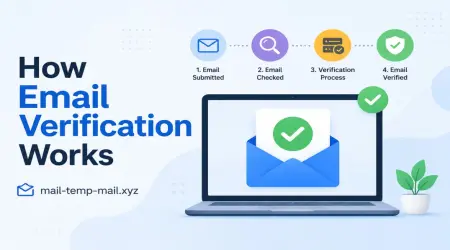
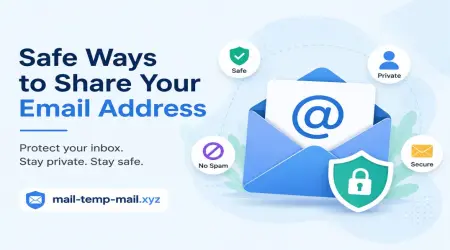
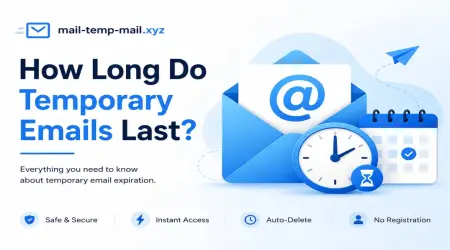
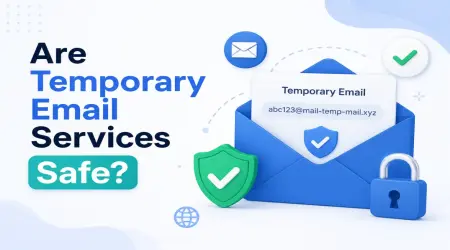
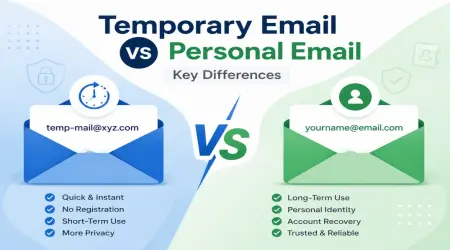
Instead, I started using a temporary or disposable email address for these low-trust situations. This is actually how I came across mail-temp-mail.xyz — it generates a temporary inbox you can use for sign-ups, verifications, or one-time downloads, without tying anything to your real identity.
The idea is simple: if a site only needs your email once to send a confirmation link or a coupon code, why give them a permanent address they can keep emailing forever?
Step 2: Separate Your Email Into "Categories"
After the temp email habit stuck, I went a step further and organized my real emails into purposes:
- One for banking and official documents (never shared casually)
- One for shopping and subscriptions
- One for social media and casual sign-ups
- A temp/disposable one for anything sketchy or short-term
This way, if my shopping email ever gets flooded with promotions, my banking inbox stays untouched.
Step 3: Check If Your Email Has Already Been Exposed
I used a site called Have I Been Pwned to check my older email addresses. Honestly, it was a little unsettling to see how many old accounts I'd forgotten about were tied to past data breaches.
If you find your email listed there, don't panic — just change the password for that specific account, and avoid reusing that password anywhere else.
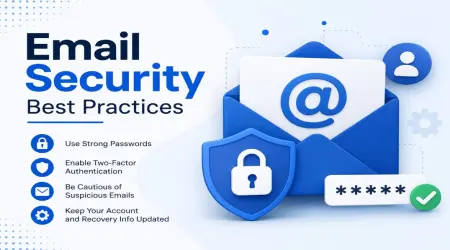
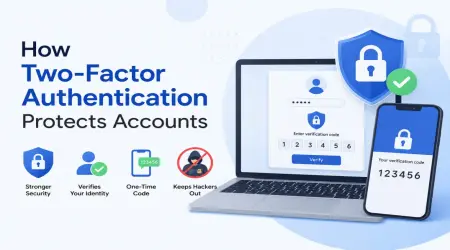
Step 4: Turn On Two-Factor Authentication (2FA)
This one isn't directly about email privacy, but it protects what your email protects — your other accounts. Most email services like Gmail and Outlook let you enable 2FA in under five minutes. I use an authenticator app instead of SMS codes, since SIM swapping is a real risk for text-based codes.
Step 5: Be Careful With "Unsubscribe" Links
Here's something I didn't expect — clicking "unsubscribe" on shady or unfamiliar marketing emails can sometimes confirm to that sender that your email is active, which can lead to even more emails. For known, legitimate companies, unsubscribing is fine. But for random senders you don't recognize, it's often safer to just block or filter them instead of clicking anything inside the email.
Step 6: Use Email Aliases When Available
Gmail lets you add a "+something" after your username (like yourname+amazon@gmail.com) and it still lands in your main inbox. This trick helped me figure out exactly which company shared or sold my email when I started getting unexpected messages — because I could see which alias they used.
Real Example: How I Use Temporary Email Day-to-Day
Let me walk you through an actual situation. Last month I wanted to download a free PDF guide from a marketing website. They required an email to send the download link.
Instead of giving my real email, I opened mail-temp-mail.xyz, grabbed a temporary inbox address, used it to receive the download link, got my PDF, and closed the tab. That email doesn't exist anymore as far as I'm concerned — no follow-up messages, no recurring promotions, nothing added to my real inbox.
I do the same thing for:
- Free trials I'm only testing for a day or two
- Online tools that require sign-up just to use a basic feature
- Wifi sign-in pages at cafes or airports
- Forums or comment sections I'll probably never revisit
- Contest or giveaway entries
It's become second nature now — if I'm not 100% sure I'll want future emails from a site, I don't use my personal one.
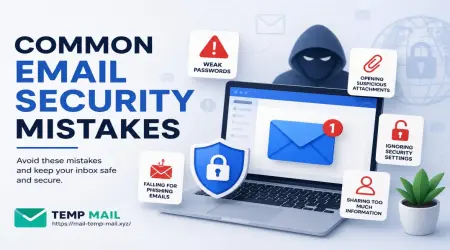
Common Mistakes People Make With Email Privacy
Mistake 1: Using the same password everywhere. If one site leaks your email and password combo, attackers try that same combo on other platforms. I used to do this constantly until I switched to a password manager.
Mistake 2: Posting your email publicly on forums or social media. I once had my email listed on a public LinkedIn-style bio for "business inquiries." Within weeks, the unwanted messages increased noticeably. If you need a public-facing email, use a separate one specifically for that purpose.
Mistake 3: Ignoring app permissions. Some apps quietly access your contact list, which can expose your email to their database even if you never directly typed it in. Always check what permissions an app requests during installation.
Mistake 4: Trusting every "verify your account" email. Phishing emails often look exactly like real ones from your bank or favorite service. I now always check the sender's actual email address (not just the display name) before clicking anything.
Mistake 5: Never reviewing connected apps. Go into your Google or Outlook account settings and check "connected apps" or "third-party access." I found two apps I hadn't used in years still had access to my account. Removing unused access takes two minutes and closes a real privacy gap.
A Quick Routine I Now Follow Every Few Months
I do this roughly every two to three months, and it takes maybe fifteen minutes total:
- Check Have I Been Pwned for any new breaches tied to my email
- Review connected apps/devices on my main email account
- Unsubscribe from anything from a sender I actually recognize
- Update any password that's older than a year
- Clear out old, unused accounts I genuinely don't need anymore
It sounds small, but doing this consistently is what's kept my main inbox clean and mostly free of unwanted clutter.
Final Thoughts
Email privacy isn't about becoming paranoid or avoiding the internet altogether. It's about being a little more intentional with where your real email goes.
The biggest shift for me wasn't installing some advanced security tool — it was simply pausing for two seconds before typing my email into a random form, and asking myself, "Do I actually want this site emailing me for years?"
If the answer is no, that's exactly when a temporary email comes in handy. It's a small habit, but it's genuinely changed how clean and manageable my inbox feels day to day.
Start small. Pick one habit from this list — maybe it's using a disposable email for sign-ups, maybe it's checking your breach status — and just try it this week. Your future inbox will thank you.