How Long Do Temporary Emails Last? I Tested Several to Find Out
Last month I was signing up for a free trial of some random photo editing tool, and right as I clicked "create account," I paused. Did I really want this app emailing me forever? Probably not. So I grabbed a temporary email instead, finished the signup, and went on with my day.
Three days later, I needed to log back into that account to download my edited photo. Guess what? The temp email was gone. Inbox empty. Account locked because I couldn't verify a password reset.
That's when I realized I had no idea how long these things actually last. So I spent a couple weeks testing different temp mail services, including the one I run, mail-temp-mail.xyz, just to see what really happens behind the scenes.
Here's everything I learned.
So, How Long Do They Actually Last?
There's no single answer, and that's the annoying part. It depends entirely on which service you're using.
Some temp emails die in 10 minutes. Others stick around for a few hours. A handful let you keep the same address for days if you keep visiting the page. I've even seen a few that claim "permanent" addresses, though I'm skeptical about what that really means long-term.
From my testing, here's the rough breakdown:
- 10–60 minutes – Most "burner" style services. Good for one-time verification codes and nothing else.
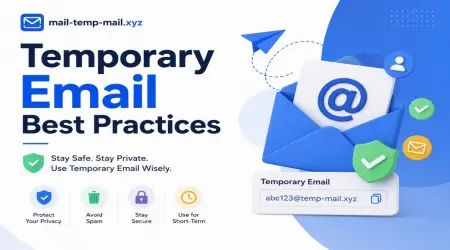
- 1–24 hours – A middle ground a lot of sites use, including mail-temp-mail.xyz by default. Enough time to sign up, verify, and still go back later that day if needed.
- Several days to weeks – Less common, usually tied to services where you can save or "extend" the inbox manually.
The catch is that almost none of them are designed for long-term use. They're built to disappear. That's the whole point.
Why I Got Burned the First Time
Going back to my photo editing app story — the issue wasn't the temp email service being broken. It worked exactly as intended. I just didn't read how it worked.
I assumed "temporary" meant something like a few days minimum. Turns out the service I used that day wiped inboxes after an hour of inactivity. I closed the tab, went to make coffee, came back two hours later, and the inbox had refreshed itself into a brand new random address. My old messages? Gone.
Lesson learned the hard way: always check the expiration time before you start using a temp inbox for anything you might need to revisit.
What Actually Determines the Lifespan
After messing around with different platforms, I noticed a pattern in what controls how long an inbox sticks around.
1. Server storage limits Temp mail services get hit with thousands of new addresses every hour. Keeping every single one alive forever would require massive storage. So providers set expiration timers to clean things up automatically.
2. Browser session vs server-based Some services tie your inbox to your browser session or a cookie. Close the tab, lose the inbox. Others store it server-side with a real expiration timer, so even if you close your browser, the address stays alive until the timer runs out.
3. Manual refresh or "keep alive" options A few sites, including ours, let you extend the session by simply visiting the page again before it expires. It's like hitting snooze on the countdown.
4. Random vs custom addresses Randomly generated addresses tend to expire faster. Custom ones (where you pick the name before the @ symbol) sometimes last a bit longer because the platform assumes you're using it more intentionally.
My Step-by-Step Approach Now
After getting burned once, here's what I do every time I need a disposable email:
Step 1: Check the expiration time first Most services show this somewhere near the inbox, usually a countdown timer or a note like "expires in 1 hour." If you can't find it, assume it's short-lived.
Step 2: Match the lifespan to your task
- Just need a one-time verification code? Any short-lived service works fine.
- Signing up for a trial you might check again later that day? Look for something with at least a few hours of life, like mail-temp-mail.xyz offers.
- Need to receive something days later? Honestly, temp mail isn't the right tool. Use a real secondary email instead (Gmail, Proton Mail, whatever you've got).
Step 3: Don't close the tab too early This sounds obvious, but I've done it more than once. If you're waiting on a verification email, give it a minute or two before assuming it failed. Refresh the inbox instead of refreshing the whole page.
Step 4: Screenshot or save anything important If you got a confirmation code, license key, or download link, save it somewhere outside the temp inbox immediately. Don't rely on going back later.
Step 5: Know it's gone for good once it expires There's no recovery option. No "restore inbox" button. Once it's done, it's done. Treat every temp email like it has an expiration date stamped on it, because it does.
Real Examples From My Testing
I'll walk you through a few specific situations I tried, just so this isn't all theory.
Signing up for a newsletter discount code I used a temp email to grab a 15% off code from an online store. Got the email in about 20 seconds, copied the code, done. Inbox lifespan didn't matter here at all since I only needed it for two minutes.
Testing a SaaS free trial This one needed an actual login over the following days. I made the mistake of using a 1-hour temp email again. Verification worked, but two days later when I tried logging in to cancel before getting charged, the inbox was long gone, and so was my ability to do a password reset. Ended up having to contact their support team directly, which was a hassle I created for myself.
Avoiding spam from a forum signup Used a longer-lasting temp address (around 24 hours) for a forum I wanted to browse once. Worked perfectly. Verified my account, browsed for a bit, and never had to think about it again because I didn't need long-term access.
The pattern here is pretty clear: short tasks, short-lived emails. Anything requiring ongoing access, you need a real plan.
Common Mistakes People Make
Since I've made a few of these myself, figured I'd save you the trouble.
Mistake 1: Assuming all temp emails work the same way They don't. Every provider sets its own rules. Always check before relying on one.
Mistake 2: Using temp mail for accounts you actually care about If it's something with personal info, payment details, or anything you'll need to manage long-term, don't use a disposable address. It's just not built for that.
Mistake 3: Forgetting to save important info before the inbox dies If there's a code, link, or attachment you need, get it out of there immediately. Don't leave the tab open hoping you'll deal with it "later."
Mistake 4: Refreshing too aggressively and triggering a new address Some services generate a brand new random inbox every time you hit refresh on the homepage instead of the inbox itself. I've accidentally wiped my own inbox doing this. Use the inbox-specific refresh button, not the browser reload.
Mistake 5: Not checking spam folders within the temp inbox Yes, temp inboxes can have spam filtering too. If an email seems late, check there before assuming it didn't arrive.
What I'd Recommend Based on All This
If you're just trying to dodge spam from a one-time signup, grab a short-lived temp email and don't overthink it. It'll do exactly what you need.
If you want a bit more breathing room, something like mail-temp-mail.xyz works well because it gives you enough time to verify accounts, check back later in the day, and not feel rushed the second you open the page.
And if you're dealing with anything that requires actual long-term access, save yourself the headache and just use a real email address you control, maybe one set up specifically as a "junk" account for sketchy signups.
Final Thoughts
Temp emails are genuinely useful. I use them probably a few times a week at this point, mostly to dodge promotional spam or test something quickly without committing my real inbox to it.
But they're not magic, and they're definitely not permanent. Once you understand that they're built to expire, by design, the whole thing makes a lot more sense. You stop expecting them to behave like a normal email account, and you start using them the way they're actually meant to be used.
Check the expiration time, match it to what you're doing, and save anything important before the clock runs out. Do that, and you'll avoid the same mistake I made with that locked photo editing account.