What Is Temporary Email and How Does It Work?
A few months back, I was trying to download a free PDF editor from some random website. Before I could grab the file, a popup demanded my email address. Just to "verify I'm human."
I almost typed in my personal Gmail. The one I've used since college. The one connected to my bank, my Amazon account, my actual life.
Then I stopped myself.
Why would a random PDF tool need access to my real inbox? It wouldn't. It just wanted to add me to some marketing list, or worse, sell my email to a dozen other shady services that would spam me for the next five years.
That's the day I started using temporary email seriously. And honestly, it changed how I browse the internet.
So What Even Is a Temporary Email?
Think of it like a burner phone, but for your inbox.
A temporary email (also called disposable email or throwaway email) is an address you can use right now, for a few minutes or hours, without signing up, without a password, and without giving away anything personal.
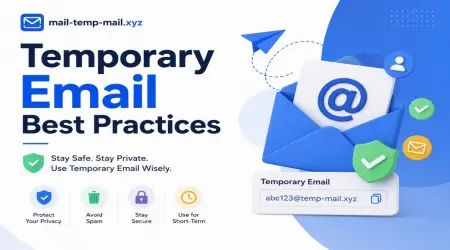
You go to a site like mail-temp-mail.xyz, get a random address like x7k2p@mail-temp-mail.xyz, use it wherever you need an email, and that's it. No real name attached. No real inbox exposed.
When you're done? You just close the tab. The address either expires on its own or you abandon it. Either way, your actual email stays clean.
How Does It Actually Work Behind the Scenes?
I was curious about this too, so I dug into it a bit. Here's the simple version, no tech jargon.
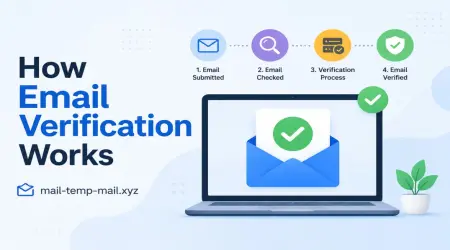
Step 1: A random address gets generated The moment you land on a temp mail site, it auto-creates an inbox with a random username. You didn't request anything. It's just sitting there, ready.
Step 2: You copy that address anywhere Signing up for a newsletter, downloading an ebook, registering on a forum — you paste that temp address into the email field instead of your real one.
Step 3: Emails land in a public-facing inbox The site keeps a temporary inbox visible right there on the page. No login required. You just refresh and see new messages pop in.
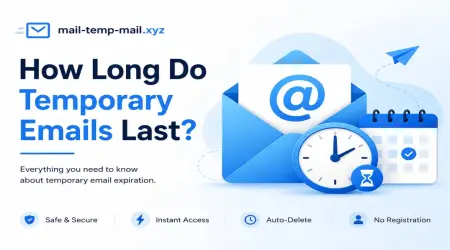
Step 4: It self-destructs Most temp mail services wipe the inbox after a set time — anywhere from 10 minutes to a few days, depending on the platform. Some let you extend it manually if you need a bit more time.
That's genuinely it. No magic, just a server that creates throwaway mailboxes faster than you can say "spam folder."
Why I Actually Started Using It Regularly
I'll be honest, at first I thought temp email was just for sketchy stuff — like cheating free trials or avoiding verification on shady sites. Turns out, it's way more practical than that.
1. Free trials that ask for cards "just to verify"
I tried a video editing tool last year that wanted email + card for a "free" 7-day trial. I used a temp email, tested the tool, decided I didn't like it, and walked away. No recurring charge surprise on my statement a week later (this has actually happened to me before with a real email — lesson learned the hard way).
2. Downloading one-time resources
eBooks, templates, whitepapers — half these "lead magnet" sites just want your email to spam you forever. Temp mail solves that instantly.
3. Testing my own website's signup flow
I run a small side project, and when testing how new user emails looked in my system, I didn't want to keep using my personal inbox for every test account. Temp email made testing so much faster.
4. Online forums I'll use once
Sometimes you need to register on a forum just to read one thread or ask one question. You're never going back. Why give them your real email?
5. Avoiding the marketing email avalanche
This was honestly the biggest win. My personal inbox used to get 15-20 promotional emails a day from sites I signed up for once, years ago. Switching to temp email for anything non-essential cut that down massively.
A Mistake I Made (So You Don't Have To)
Here's something I learned the hard way: don't use temporary email for anything you actually need long-term access to.
I once used a disposable address to sign up for what I thought was a one-time tool, but it turned out to be a subscription-based service I actually wanted to keep using. A week later, I needed to reset my password.
Guess what? The temp inbox had already expired. Gone. No way to recover the account.
So now I follow a simple rule:
If it's a throwaway, one-time interaction — use temp mail. If there's any chance I'll need this account again — use my real email or a secondary email I control.
This single rule saved me a lot of headaches later.
Step-by-Step: How to Actually Use Temp Mail (For Beginners)
If you've never tried it, here's exactly how simple it is:
Step 1: Go to mail-temp-mail.xyz
Step 2: You'll see a random email address already generated for you — no signup, no login needed.
Step 3: Copy that address.
Step 4: Paste it wherever you're asked for an email (signup form, download page, forum registration, etc.)
Step 5: Go back to the temp mail tab and refresh — your verification email or confirmation link will show up right there.
Step 6: Click whatever link you need (verify account, confirm download, etc.)
Step 7: Once you're done, just leave it. The inbox clears itself out eventually.
That's the whole process. Less than two minutes, start to finish.
Real Situations Where This Saves You
Let me give you a few real scenarios I've personally run into:
- Downloading a free Canva template pack that required email signup — used temp mail, got my template, never heard from them again.
- Testing a SaaS tool's free tier before committing — used temp mail to avoid getting locked into their marketing funnel.
- Joining a Reddit-style forum to ask one specific question about a laptop issue — never needed to log back in.
- Entering a giveaway on a brand's website — got the confirmation, claimed the entry, didn't add another company to my spam list.
In every one of these, my actual inbox stayed completely untouched.
Common Mistakes People Make With Temp Email
I've seen friends mess this up, and made a couple of these mistakes myself early on:
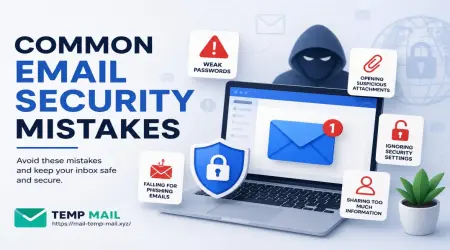
Mistake 1: Using it for important accounts Banking, social media, anything tied to your identity — never use temp email here. These need permanent, secure email access.
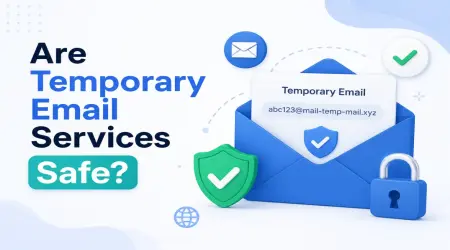
Mistake 2: Assuming it's 100% anonymous Temp email hides your email address, sure. But your IP address and browsing activity can still be tracked depending on the website you're signing up on. It's not a full privacy shield — just an inbox shield.
Mistake 3: Forgetting the inbox expires If you need that confirmation email "later," it might be gone. Check immediately after signing up.
Mistake 4: Using the same temp address repeatedly Some people grab one temp address and reuse it everywhere thinking it's their new permanent email. That defeats the purpose — once it's out there enough, it can attract spam too.
Mistake 5: Using it for things requiring long-term verification Some services send delayed confirmation emails, like 24-48 hours later. If your temp inbox dies before that, you're stuck. Always check the expiry window first.
Who Actually Benefits From This?
Honestly, almost everyone who uses the internet regularly, but especially:
- People who download a lot of free resources/templates/ebooks
- Anyone testing free trials before paying
- Developers/testers checking signup flows
- People tired of newsletter spam
- Anyone signing up for one-time forum access
- Privacy-conscious users who don't want their real email floating around random databases
A Quick Word on Privacy
This part matters. Data breaches happen constantly. Companies you signed up with years ago get hacked, and suddenly your email (and sometimes password) is floating around on some leaked database online.
Using a real email everywhere means every single signup is a potential leak point.
Using temp email for non-essential stuff means even if that random site gets breached, there's nothing personal attached to leak. Just a random address that's already expired anyway.
Final Thoughts
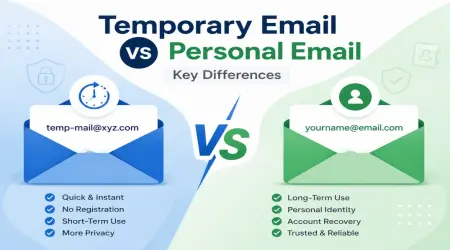
I won't pretend temp email replaces your real inbox — it doesn't, and it shouldn't. You still need a proper email for work, banking, important subscriptions, and anything tied to your real identity.
But for everything else? The free downloads, the one-time signups, the "give us your email to continue" popups that show up on every other website now — temp email is one of those small tools that quietly makes your online life less cluttered.
I didn't expect a simple disposable inbox to actually change my browsing habits, but it did. My main inbox is calmer now. Fewer random promotional emails. Fewer "we noticed you haven't logged in" nags from apps I used once.
If you haven't tried it yet, just test it out next time some random site demands your email before letting you download something. Head over to mail-temp-mail.xyz, grab a temp address, and see how much simpler that one interaction becomes.
Small habit. Noticeable difference.